Getting Token from Instagram in 2020 + module for Opencart
Getting Token from Instagram in 2020 + module for Opencart
Описание
- You must log in or register a developer account on Facebook at: https://developers.facebook.com
- You need an Instagram account with which you will work.
- A working website is required on any platform, but with an SSL certificate installed
We receive Token from Instagram using these detailed instructions:
Log in to your developer account and click “Create an application” or “Create App” .

In the modal window that appears, select “Other”
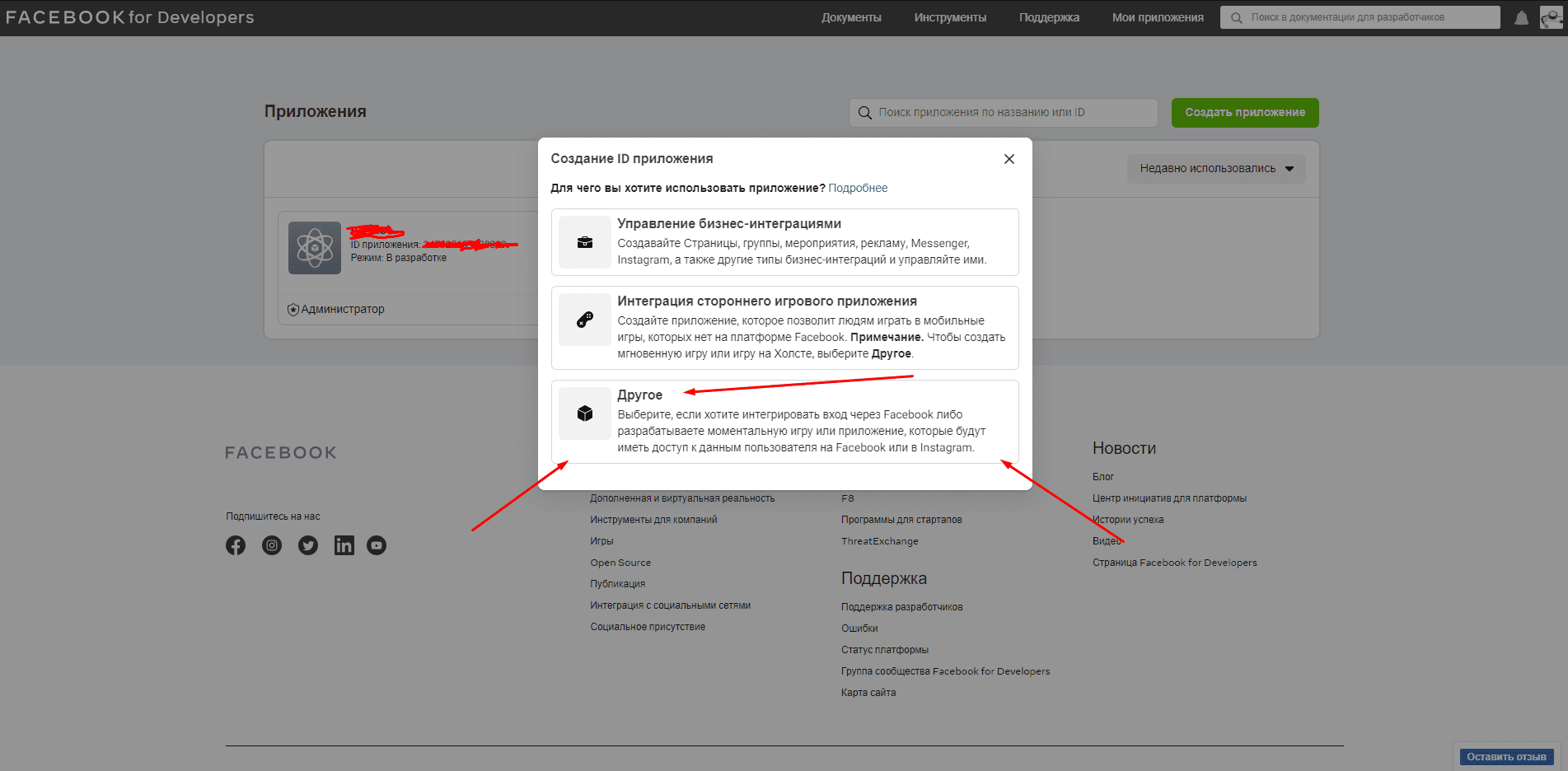
Now enter in the appropriate fields:
- 1. Application name
- 2. Your E-mail
- 3. You can leave your Business Manager account as is, or choose your own

On the left in the sidebar, click on “Settings” , look for the “Basic” item and click “Add platform” .

Click on “website” and enter the URL of the site where you want to use the feed or widget from Instagram.


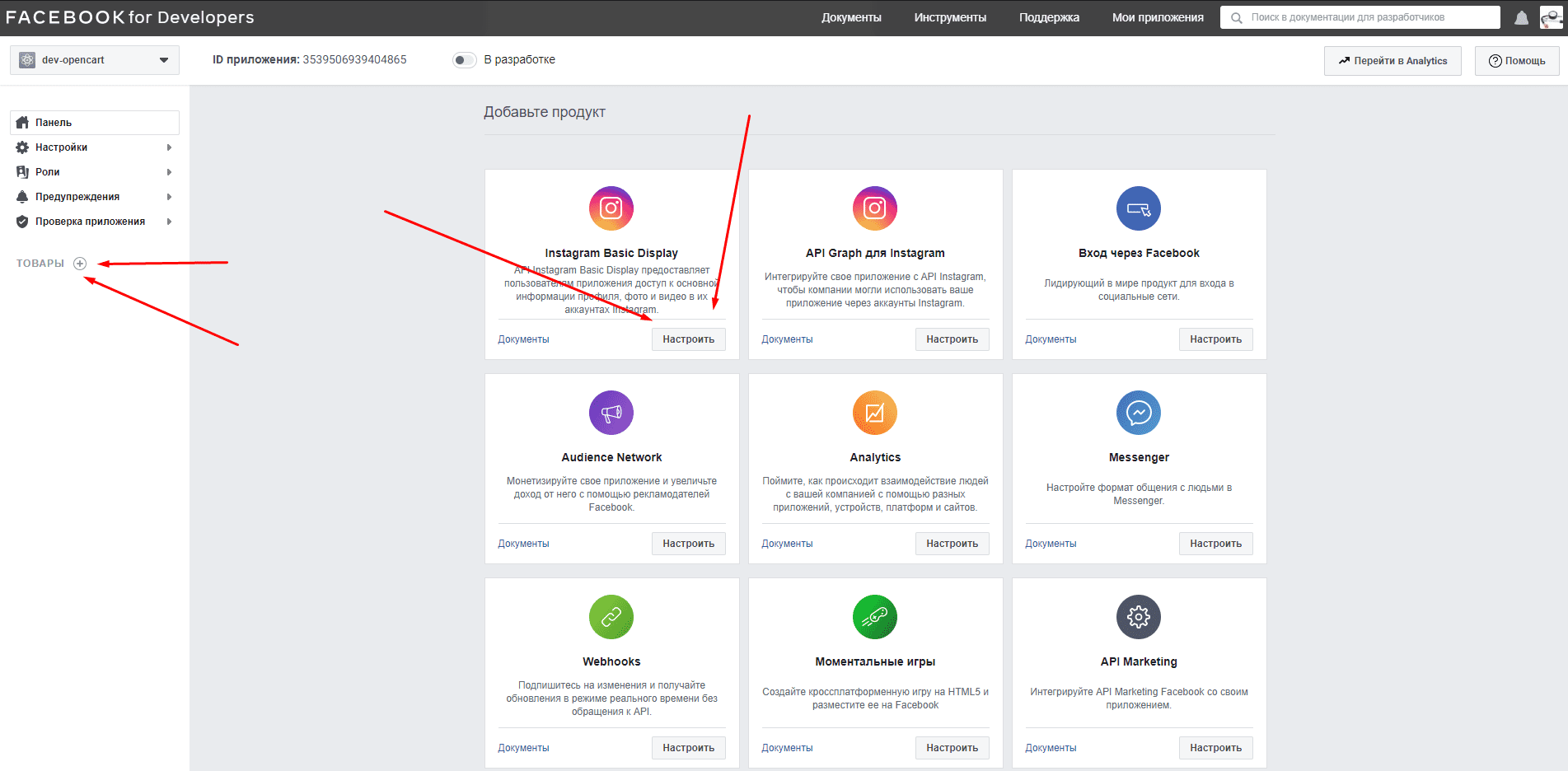
On the left side of the screen, click the plus sign after the word “Products” , then in the block called “Instagram Basic Display” click on the “Customize” button
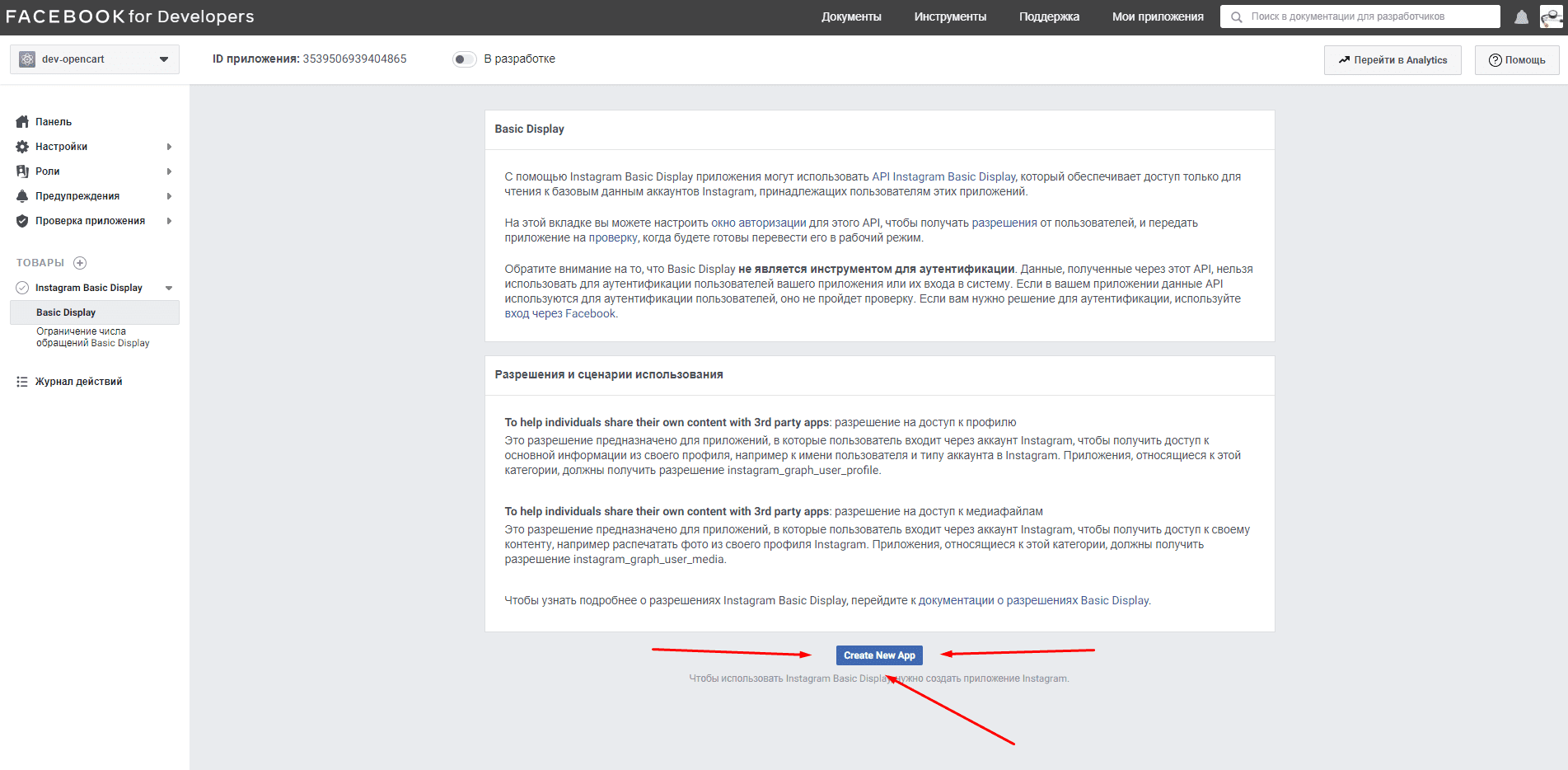
To read or not to read the rules of use is up to you. Then click the "Create New App" button, and then again enter the name of your project (application)

In the "Basic Display" tab there are 3 fields for entering a URL, where you write a link to your site where the token will be used
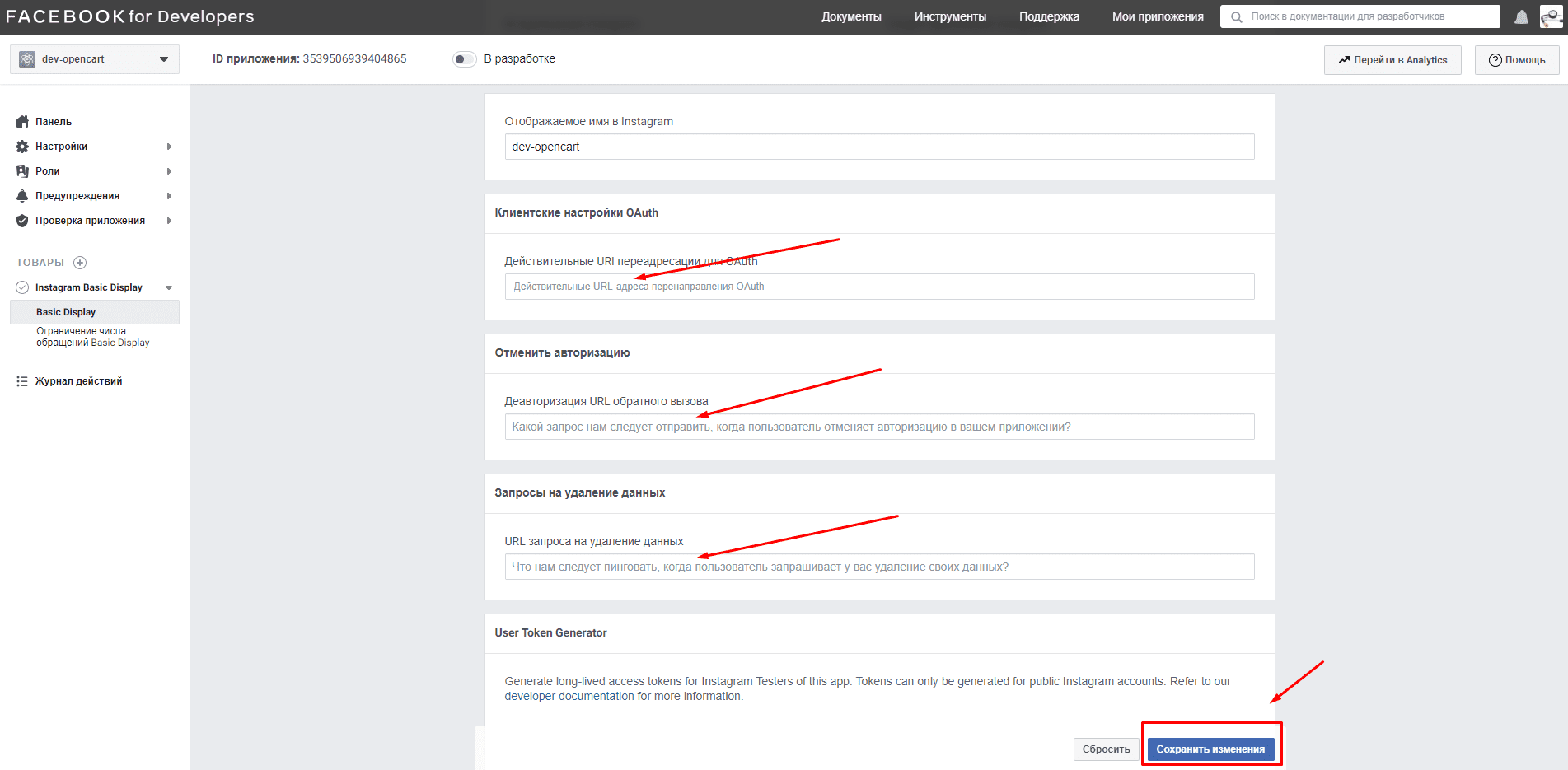
Now the most important point, let's add an account with which you will interact, show its latest posts, or display a widget with the number of subscribers, etc...
In the last item “Instagram Testers” click on the “Add Instagram Testers” button


In the window, enter the name of your Instagram account (you need to have access to it)

You have the first added account in the list, then click “Applications and Sites” a little higher. After which you will be transferred to Instagram to accept the invitation.


Now let’s look at the left side of the site, namely click on the “Basic Display” tab.
Opposite your connected Instagram account, select the “Generate Token” item (generate the same Token)

Just click "Authorize"

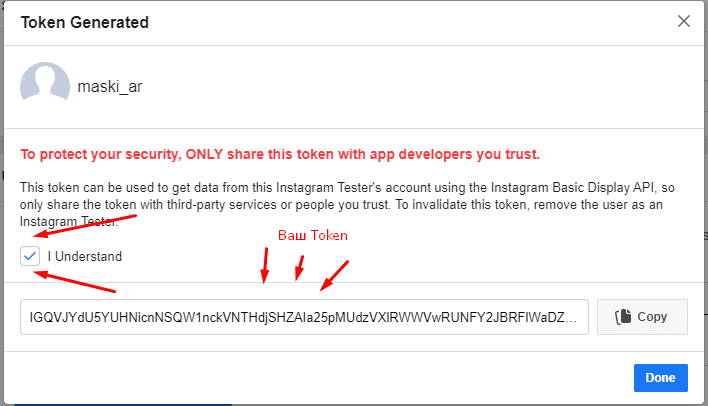
Be sure to check the box saying you have read and agreed to the terms and conditions, and hurray...! We see our Access Token , which you need to copy and write down in notes so as not to lose :)