Correct multilingualism of the site on OpenCart
Correct multilingualism of the site on OpenCart
Описание
One of the criteria for success in promoting your OpenCart website is its link structure.
Now we will talk about the links that have changed from version to version of the engine.
For example, in the second branch (OpenCart 2.x) it was possible to specify only 1 SEO URL, which was then inherited by all localizations on your site. For example:
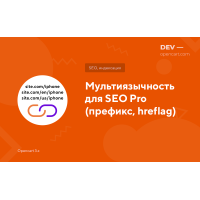
- site.com.ua/iphone
- site.com.ua/ru/iphone
- site.com.ua/ua/iphone
In OpenCart 3.x this was removed; there you need to specify a different link for each language. For example:
- site.com.ua/iphone
- site.com.ua/iphone-ru
- site.com.ua/iphone-ua
Why is this important?
This is a critical moment after moving your site from old versions to the third, or if you are moving your store from other sites (for example: Prom, Rozetka). There the link map goes through prefixes.
Now you will learn a life hack on how to make the correct link structure (hreflag) on OpenCart 3 and not lose traffic in Google
How to put language codes in OpenCart 3 links?
- First, install the multilingual module for SEO PRO , which does 99.9% of all the magic for the correct structure. In it, you must specify the language prefixes and which one is the main one.
- Next, you need to add a sitemap extension (multilingual) to the site. Generate links to the sitemap with language prefixes in the module, having previously selected this option.
After that, you can check how the link tree on your site and the sitemap have changed.
%s reviews
Modules to the article